
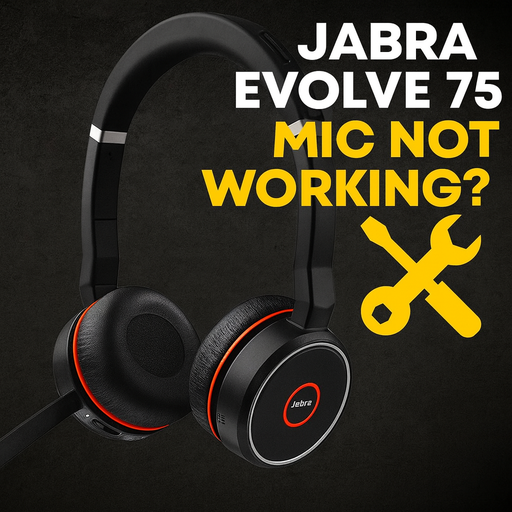
Jabra Evolve 75 Mic Not Working? The Real Cause & When It Can Be Repaired

You’re on a call, everything sounds fine in your ears… and then the chat blows up with:

“You’re muted.”
“We can’t hear you.”

But you’re not muted. The Jabra voice happily says “Muted / Unmuted” when you move the boom. Audio in the headphones is perfect. The mic is just dead.

If you’ve got a Jabra Evolve 75 (often labelled HSC040W) and the microphone suddenly stopped working or only works at certain angles, you’re not alone. It’s a super popular wireless office headset with active noise cancelling, HD voice and long battery life, sold as a premium productivity tool. (Jabra)

But there’s a common, very specific way these mics fail—and it’s exactly the kind of problem that’s perfect for a mail‑in repair instead of buying a brand‑new headset.

Before Anything Else: When to Stop Forcing It

If any of this sounds familiar:

  • You hear crackling when you move the boom down to unmute.
  • The mic cuts in and out depending on the boom position.
  • People can’t hear you in any app, even though the headset still says “Muted / Unmuted.” (Reddit)

That’s usually a sign of a failing wire inside the boom arm, not a software setting.

At that point:

  • Don’t keep snapping the boom up and down.
  • Don’t twist or bend it harder “to get it in the right spot.”
  • Don’t open it up unless you’re really comfortable with micro‑soldering.

Every extra movement can tear the already‑damaged wire a little more and make the repair harder.

If this sounds like your headset, you’re already in “repair territory.”

👉 Call to action:
[Get a free Jabra Evolve 75 mic repair quote] (place your button/link here)

Quick Checks: Rule Out the Easy Stuff

Before we blame the hardware, do these quick tests. They help confirm you’re dealing with a physical failure and not a software glitch.

1. Test on a second device

  • Pair the Evolve 75 with a phone and make a regular call.
  • Then try it on a different computer using the USB dongle or cable.

If the mic is silent on every device/app, but your speakers work, that strongly points to a hardware issue rather than Teams/Zoom settings. (Lenovo Community)

2. Check physical mute and app mute

  • Make sure the boom is fully down (that’s the “unmute” position).
  • Check the mute button on the earcup.
  • Double‑check you’re not muted in Teams/Zoom/etc.

There are known issues where the Evolve 75’s mute/unmute state can get out of sync with Microsoft Teams, but that typically affects the software indicator—not a totally dead mic across all apps. (TECHCOMMUNITY.MICROSOFT.COM)

3. Confirm it’s selected as the microphone

On your computer:

  • Open sound settings and make sure “Jabra Evolve 75” (or similar) is selected as the input device.
  • In call software, make sure it isn’t using your laptop’s built‑in mic instead.

Jabra’s own troubleshooting guides point to basic things like checking input selection and making sure the mic isn’t muted at OS level. (Jabra)

4. Update firmware in Jabra Direct

  • Install Jabra Direct.
  • Plug in the Evolve 75 / dongle and update to the latest firmware.

Firmware bugs can cause weird gain or noise‑cancellation behaviour, but they don’t usually explain a mic that’s completely dead across devices.

If you’ve done all that and:

  • Speakers work
  • The headset powers on and pairs
  • You still hear “Muted / Unmuted”
  • But nobody can hear you in any app or device

…you’re almost certainly dealing with the boom‑arm wire failure.

The Real Common Failure: Boom‑Arm Mic Wire Fatigue

Inside the Evolve 75, a very thin multi‑core cable runs from the earcup, through the internal circuit board, and down into the rotating boom arm. Every time you flip the boom up and down, that cable flexes in the exact same spot.

Over hundreds or thousands of meetings, the copper strands inside that little wire start to crack.

Owners and techs have broken this down in detail:

  • The mic cable passes through a hole in the internal PCB, which becomes a stress point. (Reddit)
  • Over time, the repeated motion of moving the boom up/down eventually breaks the cable. (Reddit)
  • Users report the mic dying after around 1–2 years of regular use, often just outside warranty, with Jabra sometimes offering only a discount on a replacement. (Reddit)

In other words: it’s not that you broke it. It’s just a weak design around a moving cable.

Typical “dead mic wire” symptoms

These line up almost perfectly with what you described in your quote form:

  • Crackling or static when you move the boom. (Reddit)
  • Mic cuts out if you nudge the boom to a certain angle.
  • Eventually, the mic stops working entirely—but the headset still plays audio and announces “Muted / Unmuted.” (Reddit)
  • Switching between Bluetooth, dongle, and USB cable makes no difference.

At that point, the internal wire is either hanging on by a thread or already open‑circuit.

Less Common Causes (And Why They’re Different)

A few other things can cause Evolve‑series mic weirdness:

  • Aggressive noise cancellation / gating – On newer Evolve2 75 units, some users have found that covering a tiny hole on the boom affects how the noise‑cancelling mics behave, which can make your voice fade in and out. That’s more of a gain/gating issue, not a completely snapped wire. (Reddit)
  • Software noise suppression stacking – When Teams/Zoom noise suppression fights the headset’s own mics, you can get strange cut‑outs or choppy audio. (Simply Headsets)
  • Liquid damage / physical impact – Dropping the headset or spilling something on the boom can damage the mic module itself.

But if your Evolve 75 has no mic audio at all and all the easy tests are done, the boom‑arm wire is still the #1 suspect.

What DIY YouTube Repairs Actually Involve

If you search YouTube for “Jabra Evolve 75 microphone repair / mic not working”, you’ll see multiple videos of people fixing this exact problem. (YouTube)

The repair process usually looks like this:

  1. Remove the ear cushion and open the earcup housing.
  2. Carefully free the main board and expose the tiny mic cable.
  3. Find the point where the cable has broken (often right where it passes through the board or into the boom).
  4. Strip, tin, and re‑solder hair‑thin wires or run a fresh cable.
  5. Re‑route and strain‑relieve the wire so it’s not pinched, then reassemble everything.

It’s not impossible for a hobbyist, but:

  • The wires are extremely small.
  • The solder pads are delicate.
  • One slip of the iron can cook the board and turn a $200+ headset into e‑waste. (Amazon)

If that sounds fun → YouTube is your friend.
If that sounds like stress → this is exactly what a mail‑in repair service is for.

Repair vs Replace: Is Fixing the Mic Worth It?

Brand‑new or “open box” Jabra Evolve 75s typically go for around $150–$250+, depending on whether they come with the charging stand and dongle. (Amazon)

So, repairing the mic makes sense when:

  • The headband, ear cushions, and speakers are still in good shape.
  • The battery still gives you decent run‑time. (Jabra)
  • You like how it sounds and fits, and don’t feel like upgrading to a different model.

In many cases, a mic‑wire repair is significantly cheaper than buying a full replacement… and it keeps another device out of the landfill.

It’s less worth repairing when:

  • The headband is cracked or twisted.
  • Ear cushions are destroyed and the battery barely holds a charge.
  • It’s been through a heavy liquid spill or serious physical damage.

In those cases, a replacement might be the better long‑term move.

How We Repair Jabra Evolve 75 Mic Failures (Mad Labs Style)

Here’s what a typical Evolve 75 / HSC040W mic repair looks like on our bench:

1. Bench test & confirmation

We simulate what you’re seeing:

  • Test over USB, dongle, and Bluetooth.
  • Check for crackle or “works only at certain angles” behaviour.
  • Verify that speakers, power, and buttons all behave normally.

2. Tear‑down & inspection

We carefully:

  • Open the earcup and expose the internal board.
  • Inspect the mic cable where it passes through the PCB and into the boom.
  • Look for fractured conductors, stress marks, or broken shielding.

This is where we usually confirm the classic boom‑arm wire break.

3. Mic wire repair / replacement

Depending on what we find, we:

  • Re‑terminate and re‑solder the existing cable or
  • Install and route a new mic cable with more slack and better strain relief.

The goal is not just “make it work today,” but also reduce stress on the new cable so it doesn’t fail in the same way anytime soon.

4. Reassembly & stress test

Once everything’s back together, we:

  • Test the mic in multiple apps.
  • Move the boom up and down repeatedly while monitoring audio.
  • Confirm the mute/unmute switch still works correctly. (TECHCOMMUNITY.MICROSOFT.COM)

If it passes, it’s ready to ship back.

How Mail‑In Jabra Evolve 75 Repair Works

You can send your headset in from basically anywhere—this is a small, shippable device and doesn’t care where you live.

  1. Get a quote
    • Use the quote form on the site.
    • Mention “Jabra Evolve 75 / HSC040W – mic not working, likely boom‑arm wire issue.”
  2. Approve the estimate
    • We’ll give you a price range based on similar repairs.
  3. Pack & ship your headset
    • No need to send the charging stand unless it also has issues.
    • Put the headset in a padded box and include your contact info.
  4. We repair, test, and ship it back
    • Once it’s done, we’ll let you know and send it back ready for more calls.

👉 Drop a “Get a free Evolve 75 mic repair quote” button right after this section.

FAQ: Jabra Evolve 75 Mic Repair

“Is this covered under Jabra warranty?”

If you’re still within the official warranty period, it’s worth contacting Jabra first.

That said, multiple users report their mic failed at around 14–24 months, just after warranty ended, and were only offered a discount on buying a new unit—not an actual repair. (Reddit)

If your warranty is over, a third‑party repair is usually the only way to save the existing headset.

“I saw someone say the Evolve 75 is ‘notorious for dead mics.’ Is that true?”

There are entire Reddit threads where people describe their Evolve 75 mic dying after a couple of years and call out the boom‑arm cable as the culprit. (Reddit)

So yes—this is a known weak point. The good news is: once it’s properly repaired and strain‑relieved, it can be much more reliable.

“Can I fix it with tape or by covering holes on the boom?”

That trick you see online (covering a small hole in the boom) is mainly discussed for Evolve2 75 noise‑cancellation quirks—not a completely broken wire on the original Evolve 75. (Reddit)

If your mic is totally silent, tape isn’t going to reconnect a snapped cable.

“What if my Evolve 75 doesn’t power on at all?”

This article is focused specifically on mic failures with a working headset.

If your Evolve 75:

  • Won’t power on
  • Won’t charge
  • Or randomly disconnects

…that’s a different issue (battery, power circuitry, or wireless module). You can still reach out for a quote, just describe those symptoms instead so we can triage it properly.

Ready to Bring Your Jabra Evolve 75 Mic Back to Life?

If your Evolve 75 (or HSC040W) has:

  • Perfect audio in your ears
  • A boom that still mutes/unmutes
  • But nobody can hear you

…there’s a very good chance it’s the same boom‑arm wire failure we see over and over again.

Instead of tossing a couple‑hundred‑dollar headset in the trash, you can:

get it fixed

Get A Repair Quote!

Broken device? Tell us what’s going on and we’ll diagnose it, estimate the repair, and walk you through the next steps. Fast, honest, no pressure.


