
Last updated: June 8, 2026
Panasonic Lumix Camera Stuck or Not Working? First Decide If It’s Worth Repairing
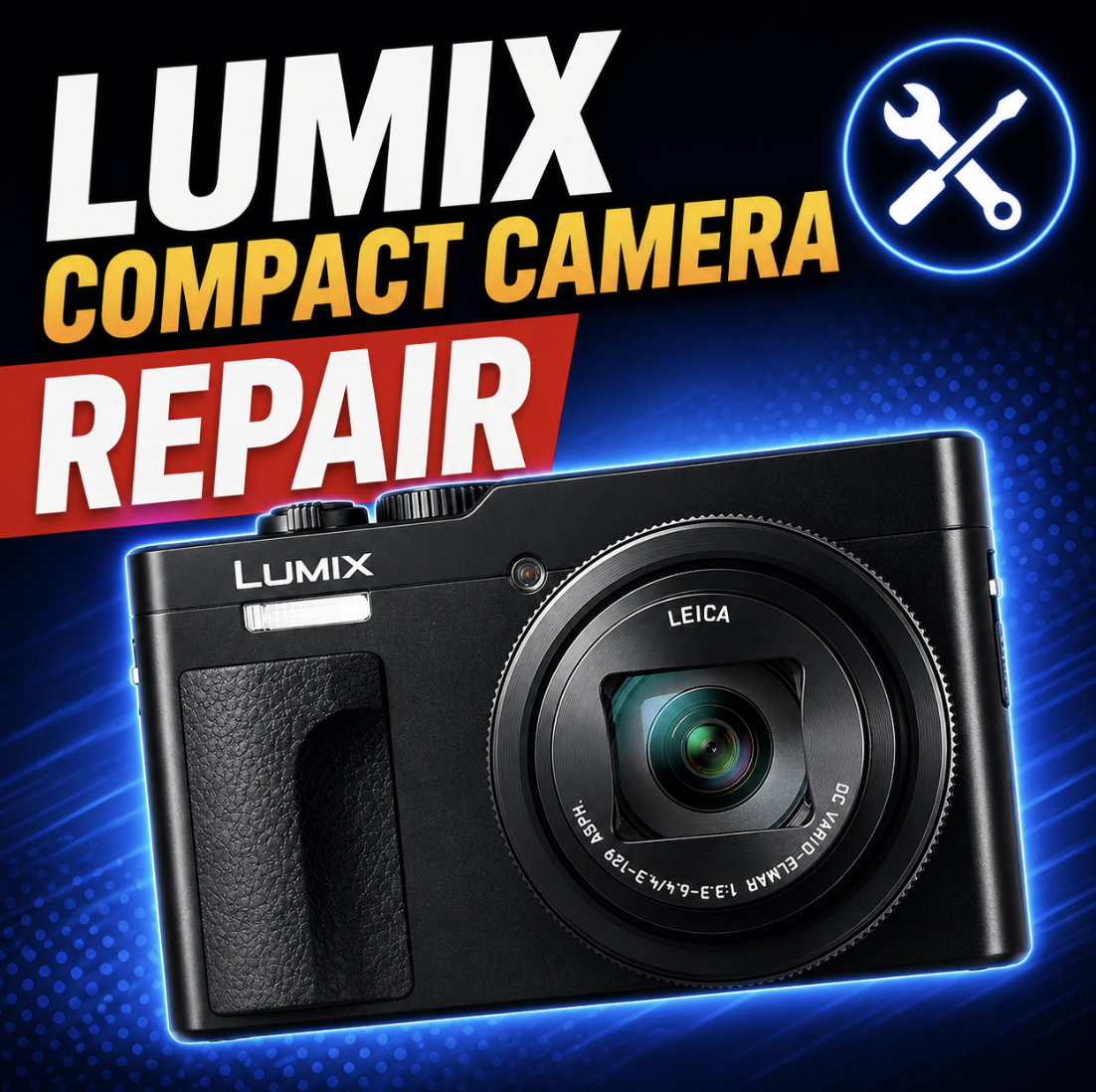
Panasonic Lumix compact camera repair is not one-size-fits-all. A stuck lens on an older pocket camera might be a replacement decision. A cracked screen, USB-C charging issue, EVF problem, control failure, or lens error on a newer ZS300, L10, LX, FZ, or rugged TS/FT model may be worth diagnosing.
That is the honest starting point. The question is not just “can this Lumix be fixed?” The better question is: does the symptom, model value, part availability, and damage history make repair smarter than replacement?
Mad Labs offers independent mail-in repair help for Panasonic Lumix compact and fixed-lens cameras. We are not Panasonic warranty service. If your camera is still under Panasonic warranty, was purchased recently, or may qualify for LUMIX service coverage, check Panasonic support first.
The repair decision usually comes down to three things
Compact cameras are small, mechanical, and easy to damage. The zoom lens moves in and out. The lens barrel can get bumped. Sand can work into the gears. USB charging ports can loosen. Screens crack. Waterproof models can still leak if seals, doors, or handling go wrong.
Before you mail anything in, look at these three things:
The 60-second repair-worth-it check
Use this quick check before spending money. It will not give a final repair quote, but it will tell you whether the camera is probably worth diagnosis.
A camera can have sentimental value too. If it belonged to a family member, has travel photos still on it, or you simply love that specific model, repair may be worth considering even when the used replacement price is low.
Lens stuck, System Error Zoom, or System Error Focus
This is the biggest Lumix compact camera repair category. If the lens will not extend, will not retract, grinds, clicks, sits crooked, or shows System Error Zoom or System Error Focus, the camera may have a jammed lens assembly.
A stuck lens can happen after a drop, pocket pressure, sand, dust, impact while the lens was extended, a bent lens barrel, worn gears, a failed motor, or internal lens guide damage. Sometimes the camera powers on for a second, tries to move the lens, then shuts back off.
Do not force the lens. Pushing, twisting, or pulling the lens barrel can turn a small jam into broken gears, bent guides, or a ruined lens assembly.
| What you see | Try first | Repair may make sense when |
|---|---|---|
| Lens will not retract | Power off, remove battery, remove SD card, reinsert battery, and try once without forcing the lens. | The camera is newer, premium, or the lens is not visibly destroyed. |
| System Error Zoom | Check for obvious sand, lint, or debris around the lens barrel. Do not jam tools into the lens. | The error repeats and the model is worth diagnosis. |
| System Error Focus | Check battery charge, restart once, and make sure the lens is not blocked. | The lens moves but cannot focus, or focus fails across normal shooting conditions. |
| Grinding or clicking | Stop cycling power repeatedly. Repeated attempts can strip gears further. | The camera has enough value to justify lens assembly inspection. |
| Lens is crooked | Do not press it straight. A crooked lens usually means impact or internal guide damage. | Repair value depends heavily on model and part availability. |
Plain English: A lens error on an old low-value travel zoom may not be worth a full repair. The same lens problem on a newer ZS300, L10, LX, FZ, or sentimental camera may be worth a diagnosis.
Dropped camera, sand, dust, or beach damage
Compact cameras do not love pockets, purses, beaches, or drops. The lens is the most obvious failure point, but a fall can also damage the LCD, flash, mode dial, battery door, SD card door, tripod mount, USB port, internal flex cables, or the lens stabilization system.
If sand is involved: Do not use compressed air aggressively around the lens barrel. It can push grit deeper into the camera.
No power, battery, USB-C charging, or charging light issues
No-power problems are not always bad motherboards. A Lumix compact may fail to turn on because of a dead battery, wrong charger, bad cable, dirty battery contacts, damaged USB-C port, broken battery door switch, stuck lens, SD card problem, or liquid damage.
Newer Lumix compact models such as the ZS99 and FZ80D use USB Type-C charging, which adds a new repair lane: damaged charging ports, bad cables, poor power adapters, and charging-light confusion.
Good first test: Try a known-good battery or charger setup before assuming the camera itself is dead. If the USB-C port is physically damaged, repair diagnosis is more reasonable.
Screen, EVF, buttons, dials, zoom lever, or flash problems
These problems are often better repair candidates than a badly jammed lens, especially on a higher-value camera. A cracked LCD, bad EVF, broken zoom lever, stuck shutter button, failed mode dial, or damaged flash can make an otherwise good Lumix camera frustrating to use.
| Problem | Check first | Repair is more likely when |
|---|---|---|
| Cracked LCD | Confirm the camera still powers on and takes photos. | The camera is newer, premium, or otherwise working. |
| Touchscreen not responding | Check settings and whether the LCD is physically cracked or water-damaged. | Touch fails everywhere after impact or visible screen damage. |
| EVF not working | Check display mode, eye sensor behavior, and LCD/EVF switching. | The EVF stays black or distorted after normal settings checks. |
| Zoom lever stuck | Check for sand, liquid residue, or impact around the control. | The lever is physically stuck, broken, or no longer registers. |
| Buttons or dials fail | Check if the problem follows one control or a whole area of the camera. | Controls are sticky, cracked, liquid-exposed, or dead after impact. |
| Flash does not fire | Check flash mode, battery level, silent/electronic settings, and camera mode. | The flash hardware or pop-up mechanism is damaged. |
SD card, USB transfer, Wi-Fi, Image App, and file problems
Not every file or card issue is a camera repair. SD cards fail. Lock switches get bumped. Cards need formatting. USB cables can be charge-only. Wi-Fi pairing can break after phone updates. The Panasonic Image App path can fail even when the camera hardware is fine.
Data note: Camera repair and photo recovery are not the same thing. If the photos matter, stop using the card and mention file recovery concerns before sending anything in.
Waterproof TS/FT cameras with fog, leaks, or water inside
Lumix TS/FT rugged cameras are built for rough use, but “waterproof” does not mean impossible to damage. Door seals, sand, hair, salt, shock, age, and user handling all matter. If water gets inside, it becomes a time-sensitive inspection issue.
Do this first: If water may be inside, stop powering the camera on and do not plug it in. External drying does not guarantee the inside is safe.
Which Lumix models are usually more worth diagnosing?
Model value matters. A repair that makes sense on a premium compact may not make sense on a low-cost older travel zoom. Here is the practical way to think about it.
When replacement is probably the better answer
A good repair page should be honest. Some Lumix compact cameras are not worth fixing unless they have sentimental value or the issue is simple.
| Situation | Why replacement may be smarter | Possible exception |
|---|---|---|
| Very old low-value compact with lens error | Full lens assembly repair can cost more than another used camera. | Sentimental value or rare model preference. |
| Lens is badly crooked after impact | Internal lens damage can be extensive and parts may be limited. | Premium model or otherwise clean camera. |
| Severe saltwater intrusion | Corrosion can affect multiple boards, buttons, connectors, and lens parts. | Very early inspection before corrosion spreads. |
| Multiple failures after a drop | Lens, LCD, body, board, and controls may all need work. | High-value model or insurance/warranty option. |
| Parts are unavailable | Some older compact-camera parts may no longer be practical to source. | Donor camera or simple non-parts repair. |
Bottom line: If the repair cost approaches the price of a clean replacement, replacement is usually the better move unless the camera has personal value.
Panasonic warranty and service first
If your Lumix camera is new, still under warranty, or was purchased through a channel that includes LUMIX service coverage, check Panasonic support before paying for independent repair. Panasonic service options, warranty coverage, and estimate fees can vary by product, country, purchase channel, and warranty status.
Independent mail-in repair is usually more useful for out-of-warranty cameras, secondhand purchases, physical damage, stuck lenses, cracked screens, water damage, broken ports, damaged doors, failed controls, or when you want a repair-worth-it diagnosis before replacing the camera.
Important: Mad Labs is independent repair help. We are not Panasonic warranty service and cannot promise Panasonic warranty coverage, part availability, or that every compact camera is economical to repair.
What to send with your mail-in request
The best request gives enough detail to judge the repair path before the camera is opened. “Lumix broken” is hard to work with. “ZS99 dropped with lens extended, now says System Error Zoom and lens is crooked” is much better.
Need mail-in help for a Panasonic Lumix compact camera?
Start with the repair-worth-it question. If it is a newer or premium Lumix camera, a simple screen/charging/control issue, or a lens problem worth diagnosing, mail-in repair may make sense. If it is an older low-value compact with a badly damaged lens or severe water intrusion, replacement may be smarter.
Send the model, symptom, photos, and damage history. Mad Labs can help sort whether the camera looks like a repair candidate, a Panasonic support case, a data/photo concern, or a replacement decision.
FAQ
Do you repair Panasonic Lumix compact cameras?
Mad Labs offers independent mail-in repair help for Panasonic Lumix compact and fixed-lens cameras. Common candidates include stuck lenses, cracked LCDs, USB-C charging problems, broken buttons, damaged battery doors, EVF issues, SD slot problems, and out-of-warranty physical damage.
Which Lumix compact models can be diagnosed?
Common models include ZS99, TZ99, ZS300, TZ300, L10, LX100, LX100 II, LX10, LX15, FZ80D, FZ80, FZ1000, FZ2500, TS7, FT7, and older DMC-ZS, DMC-TZ, DMC-LX, DMC-FZ, and DMC-TS cameras.
Is a stuck Lumix lens worth repairing?
It depends on the model, damage, and replacement value. A stuck lens on a newer ZS300, L10, LX, FZ, or sentimental camera may be worth diagnosing. A badly jammed lens on a cheap older compact may cost more to repair than the camera is worth.
What does Panasonic Lumix System Error Zoom mean?
System Error Zoom usually means the camera cannot move the zoom lens correctly. It may be caused by impact, sand, dust, a bent lens barrel, worn gears, a failed motor, or internal lens assembly damage. Do not force the lens.
What does Panasonic Lumix System Error Focus mean?
System Error Focus usually means the camera cannot focus correctly. The cause may be lens obstruction, impact damage, internal focus mechanism trouble, motor failure, or electronic lens-control issues.
Why won’t my Lumix lens retract?
A Lumix lens may fail to retract because of a weak battery, lens jam, sand, dust, impact damage, bent lens barrel, or internal gear/motor failure. Remove power and avoid pushing the lens in by hand.
Why won’t my Lumix camera turn on?
No power can come from the battery, charger, USB-C port, battery door switch, SD card issue, stuck lens, liquid damage, or an internal board problem. Try known-good power gear before assuming the camera is dead.
Why won’t my Lumix ZS99 or TZ99 charge by USB-C?
Check the cable, charger, USB-C port, battery, charging temperature, and whether the camera is turned off while charging. If the port is loose, damaged, or angle-sensitive, repair diagnosis may make sense.
Can a cracked Lumix screen be replaced?
A cracked LCD or touchscreen can be a good repair candidate, especially on newer or premium models. The camera should also be checked for impact damage beyond the screen.
Can sand or dust in a Lumix lens be repaired?
Sometimes, but it depends on how deep the debris went and whether the zoom mechanism is damaged. Do not keep cycling the lens or blast compressed air into the camera, because debris can move deeper.
Can water damage in a Lumix TS or FT waterproof camera be repaired?
It depends on how much water entered, whether it was saltwater, and how quickly the camera is inspected. Stop powering or charging the camera if you see fog, water, or corrosion inside.
Why is my Lumix SD card not detected?
Test another known-good SD card, check the card lock switch, and back up files before formatting. If multiple good cards fail or the slot is visibly damaged, the SD slot may need diagnosis.
Should I contact Panasonic warranty first?
If your Lumix camera is still under warranty, was purchased recently, or may qualify for LUMIX service coverage, check Panasonic support first. Independent mail-in repair is usually more useful for out-of-warranty, secondhand, physically damaged, or warranty-ineligible cameras.
Is Lumix repair worth it or should I replace the camera?
Repair may be worth it for newer or premium models, cracked screens, charging ports, broken controls, or moderate lens issues. Replacement may be smarter for older low-value compacts with major lens assembly damage, severe water damage, or multiple failures.



%20(7).png)